Episode Transcript
[00:00 - 00:05] Seth: All you listeners stick around to the end because we'll have a nice little juicy gift for you. So stick around and stay tuned.
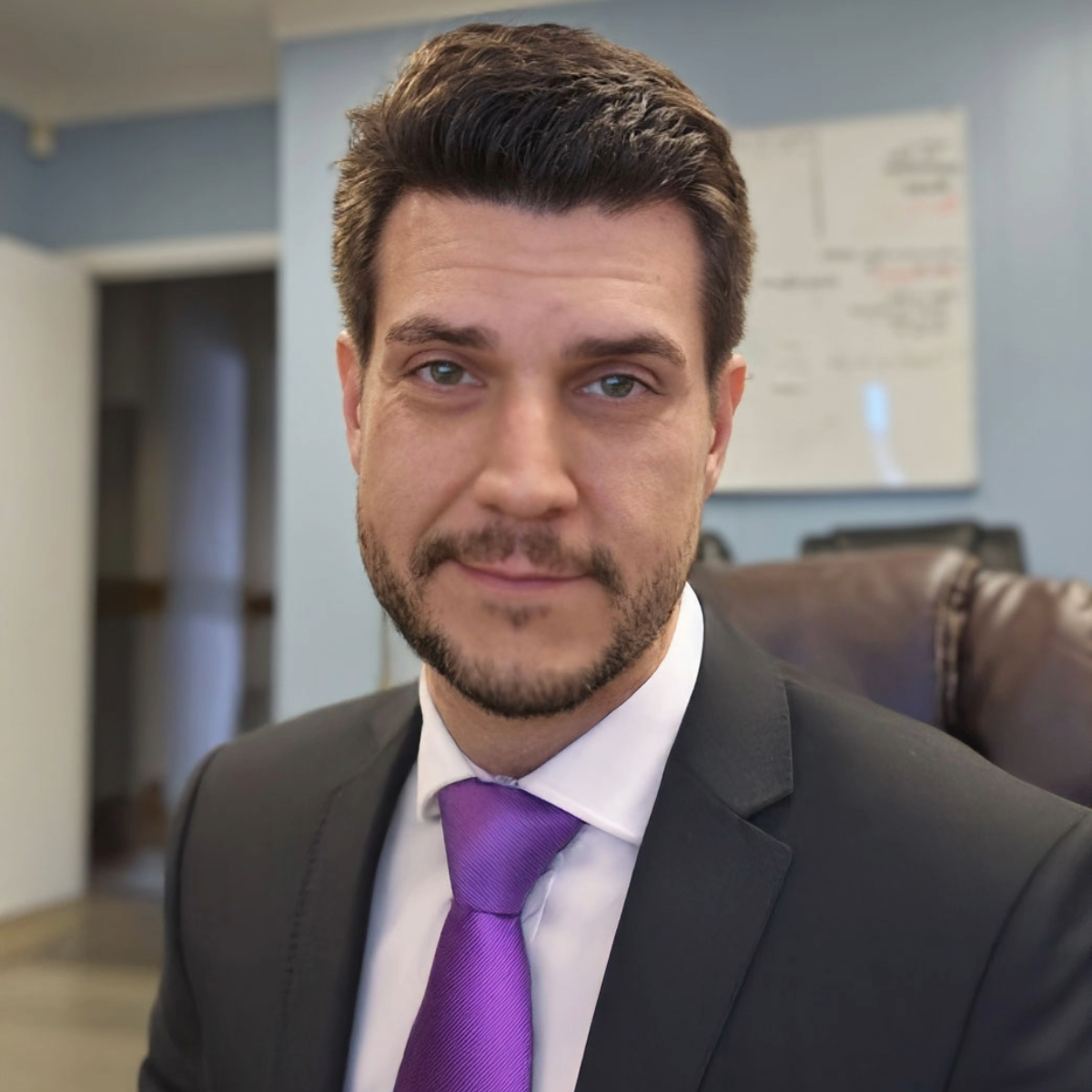
[00:12 - 00:32] Rob: Welcome back to the Evolution of Dental Podcast, brought to you by Evolution Dental Science, where we tell the stories of the people and the technology shaping the world of dentistry. I'm your host, Rob Norton. Today, our guest is what some might call a hero of digital dentistry, a rising star in the world of CAD design. Seth Potter, welcome to the podcast. How are you?
[00:33 - 00:36] Seth: Thanks for having me. I'm doing great. Glad to be here.
[00:36 - 00:47] Rob: We're super excited to have you as well because it's fun to see your face plastered all over the exocad literature these days. How did you go from being you to being a hero of digital dentistry?
[00:48 - 01:59] Seth: Well, I guess the first thing I'll say is it's, kind of, like this whole thing is new for me. Like, seeing, like my face being plastered everywhere. I still have to pinch myself when I see that. It's just like, is this real? Yeah. It's a long story, I guess, how I got there, I guess like the short version is I was exposed to dentistry at a very young age. My dad was a dentist, and so I sort of grew up with that influence a little bit. We ended up doing missionary work, dental missionary work in the Dominican Republic. So we’d go to these poor villages. My dad had this mobile dental set up. He would be pulling out, you know, poor kids' teeth that, you know, ate too much candy that had never seen a dentist before. And so that was sort of like my first, like, kind of hands on or just right there in front of me experience. I would kind of sometimes just either watch my dad or sometimes even play dental assistant, handing him instruments, blah, blah, blah. When I made the decision to start posting content and start putting my face out there, that was definitely a longer decision. Or it took me a while to get to that point, but I'm glad I did because it, you know, I've been able to meet people and talk to people and see sort of the impact that has been made.
[02:00 - 02:03] Rob: You started with posting some videos on social media, right?
[02:03 - 02:45] Seth: Yeah, I started on Instagram exclusively. It's expanded from there. I think the first time I started to post content, I think it was September of 2024. So, yeah, a couple of years ago now is when I started posting and just started with just one video a week, and then just kept expanding from there. And now I post across Facebook, Instagram, YouTube, and TikTok, hoping to expand to other platforms. But, just, you know, I'm, I'm a one man show, so I have a few, like, contractors that help me out. But so I'm- my growth is, I guess, slower or, I'm limited with how fast I can, add in other platforms.
[02:45 - 02:52] Rob: And you're right there on exocad's website, too, as a literal hero of digital dentistry. So you work on a global market then?
[02:52 - 03:15] Seth: I would say most of the people that I work with, you know, because I'm Canadian, so it's mostly North America, but I work with clients all over. But I would say it's mostly concentrated in North America. The second most popular region would be Europe. And then, you know, people in South America, Africa. I'm pretty much on every single continent now with clients I work with, which is crazy to think.
[03:15 - 03:40] Rob: That is crazy to think. Every single continent. How or what do you see as being different between, say, here in North America and European markets or, well, any of the other more far-stretching markets from where you are? Like what? Is there different demands or requests in styles or how they practice, what they like versus what, say, the American market likes what's, been some of the differentiating factors you've seen.
[03:40 - 04:42] Seth: Yeah. Great question. There's definitely a diversity of different outcomes, different workflows. But honestly just even working within North America I notice a significant amount of difference. So I would say, a skill that I sort of had to learn how to… a skill that I've had to learn is that- figuring out what the desired outcome is of the client, having them sort of explain that, and then showing them, if I'm teaching, showing them how to get there. If I'm designing for them, which I don't do too much designing anymore. I have sort of a few clients that I do some design for, but my main focus now is on the education side. But back when I was designing, same thing, figure out what the outcome is and then produce that outcome. Terminology is different across the world. What terminology we're familiar with in, say, the US, maybe even in Canada, their terminology is slightly different or in Europe or, you know, Asia and all over. So-
[04:42 - 04:43] Rob: Can you think of any examples that stick out to you?
[04:43 - 05:40] Seth: What would be an example of that? I mean, just all-on-x, you know, like all-on-x has become like, a very, you know, common term. But what I've noticed is that it's mostly a North American term, you know. In Europe because I think they follow North America a little bit more. There's some understanding of what that is. But, you know, in different parts of the world, it's called, you know, different things, you know, like a fixed hybrid denture or hybrid bridge, implant supported bridge. There's, you know, a bunch of different terminology that people use. So that's one example that sticks out in my head, but there's definitely a few. Yeah. Terminology is different. Obviously, like, aesthetics and like desired outcome are different. So there's definitely subtle differences. But at the end of the day we're all dental professionals. We're all trying to, to help patients to get, to get an elevated or a higher quality, result, for the, for the patient.
[05:41 - 06:00] Rob: Right. Absolutely. The, and it seems more and more as exocad becomes more widely adopted, it's kind of becoming a universal communication tool between designers and laboratories and doctors and everyone in between. What was one of the reasons? What drew you to exocad? And, what do you think makes it different that's causing it to kind of take over?
[06:01 - 07:25] Seth: Yeah. Great question. And I think “takeover” is a good word- to use because it's really just been exploding, just the innovations, and tools that they've been releasing in the last few updates have been game changing. And the growth that I think exocad is seeing and that I'm even seeing, just kind of being adjacent to it, it’s crazy. Yeah. What do I see that differentiates exocad? There's a lot that I could talk about here, you know, from using a bunch of different design softwares and sort of my designing era. What makes exocad stick out to me is, is that the freedom and flexibility that you have, you know, a lot of the other softwares that you use, it's a much more linear workflow. And a lot of times in dentistry or doing any sort of creative work, you know, a lot of times the, the, the project can change to, you know, midway through the design, you know. You get partway through the design with your original plan and you realize, you know what? I actually want to change things to create a better outcome for the patient. So as a result, having a software that allows you to make a change partway through to be able to get that, that good outcome, as opposed to closing out the case, changing the work order and then starting from scratch-
[07:25 - 07:26] Rob: Starting all over.
[07:02 - 07:55] Seth: Exactly. It not only empowers the, the, the designer and, and the artist to, to easily create the best result for the patient. But it also from a business perspective, you know, makes it worthwhile too because you're maximizing efficiency. So it's, you know, there's a lot that I could talk about exocad, but I would say, like, just the flexibility and freedom that exocad offers, just just makes it a cut above the rest.
[07:56 - 07:59] Rob: Have you seen a lot of clinicians starting to use it more as a diagnostic tool?
[08:01 - 08:46] Seth: I just see a lot more clinicians using it just in general. Like the amount of clinicians that I'm talking to, or offices that I'm talking to that are starting to get into exocad. Whether they're just, you know, starting to print some models and some nightguards or, you know, they're trying to do digital dentures and stuff like that. I'm just seeing a huge trend in that direction. From a diagnostic tool, they're definitely using it for that too. But it's certainly not limited to that. There's definitely this new wave now with the materials that are available with 3D printers, and just 3D printers in general. I see this wave of dental offices that are either dipping their toe into digital dentistry and in-house sort of design, or they're just going all in.
[08:48 - 09:12] Rob: What are some, speaking of, what are some trends you see with people entering digital dentistry for the first time? I mean, for some of us, it's like, well, you're kind of late to the party, but on the other hand, we're happy you're here. So what are some of the trends you're seeing? Who's jumping in now? And, are you seeing more of one kind of new technician or one kind of new doctor entering the field? What's been your experience with that in the last year or two?
[09:13 - 10:59] Seth: Honestly, it's crazy diverse and just to speak on the point that you said about, you know, like “late to the party”. I think you’re still even early. I think- it's an old statistic now. I'd love to hear the updated statistics, but I think the statistics are from 2015. So don't quote me on this. But it might not be from that year exactly, and I can't quote the study exactly. But I remember hearing this stat that it was around the 20- actually, I think it was later. I think it was like 2016, 2017. It was somewhat recent, that only 50% of dental offices in the US had an intraoral scanner, let alone, you know, a 3D printer and all this sort of stuff. So I think, you know, obviously digital dentistry is growing at a fast rate. And I think it's exponential growth. But I don't think, you know, if you're getting into digital dentistry now, I don't think. You know, I still think you're relatively early, you know, if you're if you're getting into in-house printing, in-house design, that's still a very small percentage of, of the market. You know, but it's also not too early that there's not lack of support, lack of information out there. So, I mean, there's the expression that the best time to plant a tree was, you know, yesterday or ten years ago or whatever. The second best time is today. I do think if, you know, for those listening, if you do want to get into digital dentistry, I think now's an amazing time. You have great optionality with materials, printers, you know, software, exocad is the easiest it's ever been to learn. You've got the most support that's available out there for you to learn the workflows that you need. So it's a great time to get into digital dentistry. I don't know, you asked a few questions there. I don't know if I touched all of them-
[10:59 - 12:31] Rob: Yeah, I know I kind of threw a lot at you at once because, again, I'm excited to talk to you. It's a fun conversation. And, I really, really like the experience you bring to the market, to the to the to the community of digital dentistry or dentistry in general. And I think that, what you, what you've put out there and the way you encourage people to look into it is definitely something that's needed and has been needed for a long time, because to kind of touch on one of your points earlier, there's just not- has not been a lot out there. Consistently published about what to do with specifically exocad because I come from a tech background too. I speak fluently in the language I call “Photoshop”. And there's a lot of parallels between the two. And one of the things that can be daunting, I'm sure you've seen this, and I'd I'd love to hear your thoughts on it. One of the things that can be daunting, but is also equally powerful with exocad, is that there's usually at least 2 or 3 ways to do something, and maybe two of those three ways are the “right way” to do something. And that can be intimidating to someone who's just picking it up for the first time. And then you go on YouTube and you find videos from three versions ago showing you how to do something the most awkward way ever. Even on that version, and to have new content coming out on the later releases of- No, no, no, no. I do this for a living. I teach this for a living. And this is the most effective way to do this. But here's some other options too. So what's, what's been some of your experiences with that, like navigating ways through workflows and finding the right workflow for the right student?
[12:32 - 15:03] Seth: Yeah, great question. Yeah. The aspect where there's three ways to, you know, generate an outcome, or more, you know, that's a very common thing in exocad. And that's I guess you could call a bit of a con or, or certainly a trade off with having a software that has maximum flexibility and optionality is that there's many different ways to get an outcome. And yes, if you're getting started, that can be intimidating. But again, a great, another nod to exocad is they have their standard linear workflow, which makes it easy to pick up and follow along with the workflow. And then they have their Expert mode, which that's really when all the freedom is, is unlocked. But yeah, when people face these different types of workflows to get certain outcomes, yeah, it can be a little bit overwhelming. And you know, at the end of the day, if you get the result you want, there's no “wrong way”, but there's certainly a better way or a best way. And that's what I try to help people with. And the benefit with my remote design background is, you know, when I'm just sitting there designing all day, every day, you get really good at workflows. And when you have, you know, rush cases, when you have a large client base and you have a ton of designs to get through in a day, you're also forced by nature to find the most efficient way. So it's not necessarily- You're not just figuring out how to get the result you want, you're figuring out how to get the results in the most efficient way possible. And from a business perspective, for the dental offices, for the dental labs, even particularly the dental labs, you know, where the margins, you know, the profit margins on the business side are usually a little slimmer. Maximizing efficiency is key. So that's what I try to work with. And that's I'd say you could say like a part of my brand, I guess, or part of what I heavily incorporate into my education is, okay, here's not just how to use the tools, how to design this case, but here are some systems that you can follow that are going to consistently give you a high quality result, and maximize efficiency as well. So yeah, when it comes to, you know, how I incorporate that or how I handle it when clients come to me or when people ask me like, oh, how do I design this? I sort of take it from that approach as, okay, here's the workflow, and here's also the most efficient way to do it in a system that you can follow that's repeatable and, and gives you, a consistent result, efficiently.
[15:04 - 15:39] Rob: Do you ever find yourself having to work backward from what their goal is to how to get there? Because sometimes one of the things I've seen is they think they want to get to this point, but where they actually want to go is somewhere slightly different. And they've just baked in all these workflows over the years from other softwares that make them feel like this is the right way to go, and they're trying to navigate that, asking for help navigating the wrong road to get there. So I'd like to know what your experience has been with something like that. And what do you think some of the biggest mistakes are that, say, early adopters of exocad, or even experienced users do every day? Like what are some things you're always trying to reteach people?
[15:40 - 18:04] Seth: Yeah, reteaching is a good word or another word that a recent client of mine, expressed was, you know, having to “unlearn” bad habits. Yes. You know, so that's certainly something that I see is people who are, I'd say the two biggest mistakes that I see people making and, and these mistakes aren't the end of the world, you know, and I'm guilty of this is people who are self-taught and people who dive into, like, advanced workflows right off the bat. Again, not the end of the world. Very doable, very, you know, people there's people who have done that and have great success. You know, I'm a product of that. I'm completely self-taught. But it also took me a decade to get to where I'm at now. But when I train people who are self-taught or who have dove into these advanced workflows, and maybe they come with no. limited dental background, or they have a dental background in the analog workflow, but then they're just diving into digital, diving into exocad. They dive into dentures or they dive into all-on-x right away without getting those fundamental foundational tools and workflows, down pat. What ends up happening is, yeah, they develop these bad habits, or they just don't get as consistent results as they would like or it's just an inefficient workflow. You know, the quality isn't maybe what they want. They have print issues and milling issues as a result. So, so few. So, you know, just like with a house, you know, a bad foundation is going to ripple through the whole, the whole structure. So that's something that I encounter a lot is going back to the fundamentals, you know, working with some people who have been using the software for like six plus years and are very comfortable in the software. They go through some of those initial fundamental and foundational workflows or tools, and they have these big eye-opening experiences. Oh, okay. This makes total sense. You know, I've been doing it wrong this whole time, etc., etc.. So, yeah, there's definitely something to be said for, you know, a structured, learning plan, starting with the basics, understanding the fundamentals, and then going from there. But yeah, definitely something I encounter all the time. But everybody has different backgrounds. Everybody has different ways that they got into the industry.
[18:05 - 18:05] Rob: Yeah.
[18:05 - 18:18] Seth: And so as a result, you know, they, you know, there's always a unique situation that we have to sort of where we have to relearn or reteach or unlearn some things.
[18:19 - 18:39] Rob: I like to call it the Swiss cheese knowledge effect, where it's like, it looks like you've got full coverage. And then as you slice into it, there's some big pockets and holes throughout, you know, like, oh, actually, though. One of my favorite things to run across is just teaching people hotkeys that they didn't know existed. That changed [hehe] Saves them hours per week!
[18:39 - 18:40] Seth: Absolutely. Yeah.
[18:40 - 18:42] Rob: What's something like that that you’ve run into?
[18:45 - 20:01] Seth: Honestly, the biggest- where I see the biggest “wow” moments with students and clients that I work with is when I teach them, sort of. I sort of mentioned some of it earlier, like some system. So it's again, it's one thing to sort of teach the workflow, teach the tools. You know, certainly there's eye opening things with the tools. And I think the hotkey example is another great example as being like, oh, that's how you do it or whatever. Like that's a big eye-opener. But where I've probably seen the biggest eye-opener’s for me is some of the systems that I teach. Okay. So, you know, here's the standard workflow, here's how you do it. But here's the tools. But then when you combine the tool knowledge with the workflow and here's a repeatable, efficient, optimized system to do these types of cases, and then they see the time saving and the quality that they get consistently and the ease of doing it. Not only do they get better results and they're happy with that, but they feel like a rock star because they're doing it, you know, in like a third of the time or something like that. So, yeah, I mean, I live for those moments, you know, those eureka moments where, when you see the client or the person learning this workflow, they're like, wow, this is what I've been missing right here-
[20:01 - 20:02] Rob: Pierce the veil.
[20:02 - 20:04] Seth: Yeah, exactly, exactly.
[20:04 - 20:17] Rob: That's incredible. How, and so have you seen, a lot more adoption of exocad’s AI features? And how do you see that changing the way both the [way] people interact with exocad as well as the industry at large?
[20:18 - 21:19] Seth: Yeah. Great question. I would say the AI features in exocad are probably quite underutilized. And we can get into that later. But yeah, just addressing the, you know, the AI in the industry and, and sort of where that's, that's going. I mean, the AI features in exocad are great. You know, but they're also like, restrained, like the nice thing about exocad is they, they think through these features before they release them, and they don't just dump a bunch of needless stuff on. They think it through. And so and they've held to their sort of core values, they want to maintain that flexibility and that freedom to change things. These are just tools to aid you and help you. But, but yeah, I mean, the whole AI in exocad, I think, is very well done. I just like AI in general. I think I've always been a tech guy. And so I'm just excited just in general, not just in dentistry for this whole thing. But yeah, it was-
[21:19 - 21:25] Rob: What are things about it that excite you? Like what's what has your brain churning and excited, and what are you looking forward to seeing with that?
[21:26 - 23:14] Seth: Great question. I mean, so many things, just new ways that we can be creative. I mean, for me, how I use AI and and I certainly under utilize it like I'm just too busy doing dental stuff to spend the amount of time that I would love to, in AI, but just, I guess, maximizing efficiency, being able to multiply what one person is going to be able to do, maximizing output, just increasing quality of results, whether it's in dental, whether it's in business or, or whatever, we all have flaws or things that we're not good at. For example, I'm, you know, I know teeth. I've been doing dentistry. I've been doing design for over a decade. But this being a business owner and being a social media guy, I don't really know what I'm doing. I'm just sort of winging it. And so AI has been helpful with that, helping me write scripts, plan videos, stuff like that. But I don't know. I think change is always kind of scary but exciting at the same time. And I think, you know, AI is making a big impact. And I think it's going to continue to and so that's both scary and exciting. But I think the perspective that I have and what I always encourage other people to have, the perspective on whether this is in dentistry, in design, in exocad or even completely separate from the industry is, you know, learn how to learn how to use it, embrace it, and just be okay with sucking at it and and not really knowing how to use it. And just if you learn how to use it, you're always going to be a value and you're going to find ways to just bring more value to the industry, bring more value to your employer, to your clients, to the patients, etc.. They're just tools to just elevate our, our quality of work and, and the speed at which we do it.
[23:14 - 23:36] Rob: So as exocad’s AI, and AI within dentistry grows and continues to be adopted and maximizes workflows. Where do you feel it truly adds to the experience and optimizes or helps technicians produce versus where the line is, where human interaction and the technician's touch is critical to the outcome?
[23:37 - 25:36] Seth: Yeah, great. Great question. And I think the words that you use to describe it, I think were appropriate, like an, an aid, a tool, you know, optimization, stuff like that. And that's kind of how I see it in our industry and in our workflows. Whether you're doing analog, whether you're doing digital, there's a lot of repetitive, repetitive stuff. And I think that's what AI is really good at. You know, if you can outsource essentially the repetitive tasks to AI to increase efficiency, then you can be purely focused on the creative part. And I think that's where, as you said, the human touch is important. You know, AI will continue to get better over time. And, you know, it'll be interesting to see where that is in the future. But just as of right now, that's how I see AI. It's a tool to do repetitive tasks for you. And so you can focus purely on the creative aspect, on the desired outcome. So the AI can do those preliminary steps, and you can just use your creative and your just knowledge experience to, you know, make decisions on where's the margin and how do I want to just elevate this case from an esthetic standpoint, like for the crown workflow in exocad, it doesn't draw the margins, it just creates a general crown shape, size and contour. And I see it as like a rock solid foundation that just saves you time. So you're still drawing the margin manually, so you still have full control of that. So you can use your expertise to make sure that the margin is where it needs to be. And then it also after the AI proposal, then you get to do your last little bit of free forming, your last little bit of editing to just as I said earlier, just elevate that aesthetic to the creative quality or the, the overall quality that you want.
[25:37 - 26:12] Rob: Where do you see most of AI work being concentrated on? And what do you think that is? What do you think are some things that I will either not touch or not be very influential on going forward? I know that's a hard thing to predict. But just just your feeling, just your gut instinct. Where do you see, human touch and human interaction being crucial for basically ever essentially versus where the AI is going to continue to grow in its ability to produce and, and supplement the human, the human, technician.
[26:13 - 27:07] Seth: Yeah, I think AI and just machines in general, you know, if we think of the, you know, just a machine or a computer, what is it good at? It's good at replication. It's good at just repeated fixed tasks. What is it not good at? Creativity. And, you know, even with the AI that we have in the, you know, just outside the industry, you know, in terms of photo generation, video generation, music generation, all of that is just basically a replication and slight adjusting of what already exists. So I think the creative aspect is really what's never going to go away. And so I think AI is just going to just continue to optimize the repeatable, duplicate-able aspect and then so that the human aspect is and what's really not going to go. And again, I don't have a crystal ball. You know, this is just sort of my thought process-
[2707 - 27:08] Rob: Nobody does, I just wanted to know what your opinion was-
[27:08 - 27:17] Seth: Yeah. But I think that's where it's going to be, is all the repeatable stuff AI is going to do. All the creative stuff is going to be purely human focused.
[27:19 - 27:42] Rob: So if I could boil it down a little bit, and correct me if you if you think otherwise, you think it more, the single unit posteriors will be handled by AI, but say the high end, esthetic and anterior cases, maybe some of the all-on-x cases are probably something that's still going to be in the hands of the technicians for years to come.
[27:43 - 28:31] Seth: Yeah, I would generally agree with that. I mean, we're already seeing that in the industry where, it's the single posterior crowns that are, that are going to go that way. And even in, within exocad, that is what we're seeing as well, where the, there's other AI features that are just little tools, but basically an AI “workflow”, it's really concentrated on, you know, single unit posteriors with the recent update exocad 3.3, you can now expand to three unit bridges. And it does do anteriors as well. But I agree. To boil it down, I would see the single posteriors being consumed first and sort of the more complex, the more technical cases, and the more esthetic cases, there will always be demand for, for, for that human, for that human touch.
[28:32 - 29:21] Rob: I think that sounds right. One thing I will say about the esthetic stuff and the AI with the 3.3 update, just because I'm a dental nerd and I love technology, is something that exocad introduced a couple of years ago, which, if you're a listener of the show, you probably are very familiar with, is the is the Smile Creator module right. And the Smile Creator module, if you're not familiar, allows you to take a two dimensional image and align it with the three dimensional Intraoral scans so that you can get a very realistic idea as to what the outcome is. And more importantly, you can show the patient what the outcome is going to look like. But Seth, you know and I'd love you to share, for our audience, what changed from 3.2 to 3.3 as to how that process works out? And why is it so much better now?
[29:22 - 30:09] Seth: Yeah, I mean, there's a few things, and even the features that were introduced in 3.2 were, were, a game changer. But to me, the biggest features that I love, that exocad have implemented in Smile Creator has been the automatic AI photo alignment and the photorealistic preview where. So the automatic photo alignment, I mean, the name kind of implies it, but instead of you having to manually align the photo, the AI does it for you. And I actually just spoke on this topic, at Chicago recently and did a comparison on you manually aligning your photo versus the AI and just how much more efficient the AI does it. There's no comparison. And it also does a better job too.
[30:09 - 30:35] Rob: That’s what I'm saying. Like, it just snaps it in place, like you could spend ten minutes and still get “I think that's close” with 3.2 and it's a powerful tool. But just to jump ahead with the software, being able to identify the teeth on the scan as individual teeth and then somehow identify that in the two dimensional image, provided it's taken with a reasonably good camera. Sorry, I didn't mean to interrupt, just a fascinating topic-
[30:35 - 31:58] Seth: Yeah, no no. It is great. But the other aspect of Smile Creator that I really like is the photorealistic preview. And I worked with a few clients that had expressed some frustrations with the way that exocad handled creating the shade or or just the tools. They struggled to get the esthetic or the shade results that they wanted when using the exocad shade tools. And with this new feature, with the photorealistic preview, all that is is not even a concern anymore. Basically, what the AI does, it analyzes the photo and then it projects that or matches the shade of the photo to the teeth that you've designed. So those two features the AI photo alignment and the photorealistic preview are huge game changers, both from a quality outcome standpoint as well as an efficiency standpoint, as well. So that would be, I guess, one of the underutilized tools that people aren't using because I think when Smile Creator first came out a few updates ago, people tried it, got frustrated, and just ditched it. But I think now if that's you, now's a great time to get back into it. Or, and if you're just learning exocad, then it's also a great time to get into because it's never been easier to do this. So yeah.
[31:59 - 32:14] Rob: The, and for those who don't know, what do you- what is the difference between a high quality Photoshop image of like, here's what you could look like versus what Smile Creator allows you to share with the patient. What's the actionable difference there?
[32:15 - 33:45] Seth: Well, there's just way more info and data. You know, if you were to just take a photo and just yeah, as you said, use Photoshop. You know, that's a bit more arbitrary. The steps in the process, in the design process for Smile Creator combine both the visual outcome like the actual presentation aspect, but it also keeps it realistic. You know, with golden, you know, with golden proportions, with different guidelines. You know, picking your tooth size and it matches- you're not just projecting a smile onto a 2D image, you're combining 3D and 2D together. So the proposal that you're generating is actually something that can be realistically produced. And I think that's a very important aspect is anybody can, you know, take a selfie, go into AI and say, “make my smile better” or, you know, “put on all these parameters”, but is that an actually realistic outcome? The Smile Creator with the tools and the software combining 3D and 2D can generate a detailed report that not just shows you you know the desired outcome, but it actually breaks down all the different, you know, aspects of the design process. And the overall result that it generates is a realistic output that you can do a-
[33:45 - 33:47] Rob: Something you can actually take to the 3D printer?
[33:47 - 33:48] Seth: Exactly, exactly.
[33:49 - 33:52] Rob: This is real, Mr. Jones. This could be you. And this is how it could be you this afternoon.
[33:53 - 34:54] Seth: Yes. Exactly. Yeah. So a lot of times people combine the Smile Creator workflow with sort of a diagnostic wax up or a trial smile or snap on smile. So this is a growing, growing and increasingly popular workflow, where people are doing, and also something that I taught on, in, in Chicago was how to sort of implement small creator into the full workflow and go from basically pre-op and photo, combine them, create a proposal, create temporaries, and then go to final in one seamless workflow system. And yeah, that's I think, a very powerful system to take the patient from, you know, just hey, my teeth are like this, I want them to be better, to the final result in a nice, seamless, efficient workflow. As a thank you, I want to give you all a gift. I’m going to have a code for you at the end that’s going to give you a nice guide. So stick around to the end for that!
[34:55 - 35:04] Rob: What it can truly look like. And, have you seen a lot of adoption of the new video feature? And for those who don't know about the True Smile video, can you share a little bit about that?
[35:04 - 36:20] Seth: Yeah, absolutely. So this is an additional aspect to the Smile Creator, where you don't just take photos, you can take a video. So you go basically, in summary, you go through the Smile Creator process. You attach a photo to the whole Smile Creator end result. And basically it will give you a side-by-side comparison to the original video of the patient's original teeth. And then using AI put their new teeth on the other side of the video or the comparison video, so the patient is able to see how they currently are and the potential final outcome in video format, not just in, in photo format. So which makes it feel a lot more real because you get to see how they look talking and it helps as a huge visual tool and a huge sales tool. And really sort of helps, the patient sort of better visualizes their outcome. You asked about adoption? I don't see to, to be honest, I haven't seen too much adoption yet. I think that's going to change. But I haven't seen too much adoption yet. But, you know, we'll see what the next few years have in store.
[36:21 - 36:26] Rob: Absolutely. And you think that it helps a lot with patient acceptance for the cases?
[36:27 - 36:28] Seth: I think so, yeah. For sure.
[36:29 - 36:33] Rob: Yeah. A picture’s a thousand words right. Video’s a thousand pictures. So.
[36:33 - 36:34] Seth: Exactly.
[36:34 - 36:35] Rob: You just do the math!
[36:35 - 37:14] Seth: Incredibly powerful for sure. I mean, you know, you could think of a bunch of different examples just in life, you know, where if you were, you know, like, for, I mean, this isn't maybe a perfect, you know, 1 to 1 comparison. But, you know, when you go to a dealership to buy a car, you don't just want to sit in it and, and, you know, walk around, you know, you want to take it for a test drive. How does it feel? And even though TruSmile video isn't necessarily a test drive, so to speak, it's much easier to visualize the final result. And it gets you more information to make the decision whether to move forward with treatment or not.
[37:15 - 37:31] Rob: The TruSmile video is a super powerful tool, but as you said, it seems to be currently underutilized. What are some other really powerful aspects of exocad that you feel are more underutilized and have the potential to explode in the market if people just tapped into them a little heavier, or maybe take notice a little more?
[37:32 - 38:36] Seth: Yeah. Great question. I mean, I would say Smile Creator in general is fairly underutilized, and especially these newer features that people don't know about. You know, the photo, the AI photo alignment, the photo realistic preview, those would be underutilized. There's certainly a lot of tools that I teach that people aren't aware of. Like, one that comes to mind is on the margin tool. A lot of people are now designing on, on, you know, intraoral scans, but there's actually two margin modes. And a lot of people don't know about that- The default is for drawing the margin on, like, a prepped die, but not on initial scan. So there's like subgingival and supergingival margin. So the subgingival margin is actually a better algorithm for, for marking the margins on intraoral scans. So that would be, you know, an underutilized tool that comes to mind. But there's honestly a ton we could probably do a whole episode alone on just underutilized exocad tools. But those would be the, the, the few that come to mind.
[38:37 - 38:40] Rob: Gotcha. Nothing, something else? Anything else reach out to you?
[38:41 - 38:57] Seth: I don't know, I mean, those are kind of the big ones that stick out to me. But I'd love to hear what you think would be some underutilized ones, too. I'm sure with the people that you interact with, you probably have some observations as well.
[38:57 - 42:23] Rob: One of them I see highly underutilized is the Cut view. And now it has its own featured button right off on the right side, front and center, where it used to be buried, under a series of different tools to get to, and just being able to take that Cut view and have a 90 degree cut and slice into what you're looking at, I think it's very powerful and highly underutilized. Being able to think well, I don't how thick is that area, where you can literally slice it right there, take a little measurement. Oh, okay. It's, you know, 2/10 as opposed to I thought it was thicker or thinner. Another one that I see, which is the new feature with 3.3, it's I think more groundbreaking than a lot of people appreciate is, again, sorta buried into the data editing tools for scans is you can not only fill holes, everyone knows about filling holes. I would hope at this point. But you can also bridge gaps. So if you have a hole that's not complete, right. Like a circle, but it's more like a U-shape. Now you can close that gap and you can even extend the scan a little bit if you need to. So if you're in a situation where you're trying to make a, a digital denture, where the borders are coming right up to the edge of that intraoral scan, and that is one of the challenges going into digital dentures is getting a good scan with all that flexible moving tissue there right along the edge, it often turns into kind of a juxtaposed mess. So you end up cutting that down and bringing it into the software. But whereas we used to have to say generate a 3D model just to go back and use that as our jaw scan, just to have enough room to have the borders, now you can just take it and extend it a few millimeters out from the original scan. Just using that bridge gap feature stuff like that, I feel like or going back to, the margin tool, like, you were talking about the subgingival thing. It's an excellent observation. I think it is frequently under- utilized. But another one would be the repair margin option, which allows you to take those, like you said, Intraoral scans where you can look at that scan and go, I really don't think that patient has a horn coming out of the margin of their tooth. That's like a millimeter wide, but that's just how the scanner picked it up. And you could either go back and edit the scan and hope for the best, or there's that repair margin tool, which allows the software to supersede the scan and pass under some or over some of these artifacts, depending on where they are, and still come out with a, with a with a viable result that you can, that you can truly work with. So stuff like that, that's just it. Or the grid feature, the ruler tool, which used to have to go into settings and then turn on the grid now. But now there's a hotkey, CTRL+SHIFT+R. You just tap it and it goes from not there to in the background and in the foreground. And especially if you're working with anterior cases and you're trying to line up the esthetics of trying to make sure eight nine are actually even with each other. It's I mean, instead of I remember going back several years ago, literally taking, printer paper and putting it on the monitor and trying to line stuff up before, before the grid tools were there just just to try and have a straight line or sometimes I'd even use the Wizard window as that line, that straight line to to reference. So I think features like that are highly underutilized and those are something I see over and over again, with some of the people that I teach. So those are the kind of things I was, I was thinking of.
[42:24 - 42:46] Seth: I love those examples. Yeah. The grid feature is just a permanent thing now for me, and has been for years. That's a great example. And anyways, all the things you said, I, I completely, completely agree with, great observations and yeah, as, as we said, we could make a, we could do a whole podcast episode on just underutilized tools.
[42:47 - 42:49] Rob: And maybe we should at some point. I think that'd be fun.
[42:49 - 42:50] Seth: Yeah. absolutely.
[42:50 - 43:12] Rob: But speaking of that, where, what do you want to see from exocad? I know there's some things that you probably know about what's coming down the pipeline with exocad that the rest of us don't. I don't know how much you can share, but of what you can share. What do you see coming on the horizon? What do you hope to see coming? And just to kind of broaden the question out a little bit, where do you see digital dentistry going in the next five years?
[43:13 - 45:46] Seth: Great question. I mean, I'm not full. I'm not, I don't have any extra knowledge, I think, on what's coming down the pipe compared to most people who follow exocad pretty closely. I think probably the next exciting thing that I'm looking forward to is the new ExoPlan release, that's coming out, that's going to introduce a bunch of new features. And as far as I know, there's no problem with me showing this because exocad themselves have shared it. But, you know, the, you know, these implementing tools of stackable guides, bone reduction guides, all this stuff that's in other softwares that they're incorporating into their planning software. So yeah, I'm super excited for that. In terms of the industry as a whole, I think, and we touched on it a bit earlier, I think this trend of having more offices doing in-house, manufacturing, in-house printing, in-house designing, maybe not necessarily in-house designing, but certainly there's going to be more offices with printers and they're going to be doing their own models, they're gonna be doing their own nightguards, maybe their own inlays, onlays, single posteriors. I think we're just going to see more and more of that. So, that's kind of the trend that I've been seeing. I think, you know, labs are going to become more digital focused, more on efficiency, utilizing these tools. And I think offices are going to, are going to start, doing more of these simpler, smaller cases in-house. So, but one conversation I had recently, which, and what I mentioned, which I think is a good summary of this, is, I think, how dentistry was 20 years ago. It was one linear path. You know, you had a dentist, dental technician, you know, dental technician makes the restoration, dentist inserts. So there was one linear path. I think the beauty of what the future's going to hold is there's going to be more options for the patient. You know, do you want a traditionally make a crown that goes to the lab? Do you want an in-house designed, and created, you know, night guard or crown. Do you want to outsource a professionally designed case but in-house manufactured like I think there's just more options now than ever before. And I think overall that's going to be a better, better overall result. And better service for, for the patient.
[45:48 - 46:00] Rob: Do you see more, do you see more people joining in, and becoming, part of the dental technology world? Do you see this as a growing aspect of the industry? And where do you see new people coming in?
[46:03 - 47:33] Seth: Yeah, I definitely think it's growing. I mean, technology just has kind of a way of doing that. And I think people like, I think people get bored with, the with their careers or with the way that they if you're, if you've done the same thing for 20 years, you know, I think it's natural to sort of crave something new and exciting, even if it's not something you necessarily go all in on, even if it's something you just dabble in. And so I think I'm seeing this across, you know, across the industry, you know, definitely seeing it with dentists. But even just seeing it with assistants, two I think this is kind of a bit of a surprise that I noticed is, you know, when it when we talk about different people coming into digital is seeing more assistants and even some hygienists come in who are who, you know, they have the thing that they do, but they're they like the tech, they like technology. And they want to just dabble in this. They want to, you know, learn how to design models. They want to learn how to design some night guards and stuff like that. So I do think digital has a way of just attracting, attracting people in. And so I do think it's growing and I think you're going to see, yeah. Just a growing interest across the whole industry, of people wanting to, to learn digital and bring their skill sets and their tools and their experience and to, to generate some, some great patient outcomes.
[47:35 - 48:58] Rob: Absolutely. The, one of the things you touched on that I've seen a lot myself as well as the like you said, the, the, the assistants. The assistants are being, whether they're curious on their own or they're thrown to the wolves by the doctor. Either way, there’s like you got to learn how to print night guards. Oh, okay. And where as exocad incorporates nightguard design, which makes things a lot faster and easier. It just kindled a fire for curiosity that I think was a little unexpected. Up to and including we spoke with Chelsea Homire, who is one of the founders of the Digital Dental Assistant Academy, which I think is another thing that's widely needed in the industry that they're just pulling them in. It's like where do we start, how do I learn how to print models? And what is this thing I've heard of called exocad? And what? How do we use these tools? Another thing that I've seen, I don't know if you've seen. I'd be curious about your answer. As I've seen some “tech bros” getting into dentistry all of a sudden, as you were saying, they're bored with what they're doing. They're. They're sick of just doing boring CAD/CAM designs for, you know, industrial aspects or even some coding stuff. And they've decided, you know what? I want to work with my hands a little more. I want to do something a little more creative. And now they're trying to learn dentistry, to learn dental tech so that they can do something different. Have you seen anything like that?
[48:58 - 50:30] Seth: Yeah, that's a great point to bring up because I've definitely seen that. And I would even say that even just people with no dental experience, I think digital dentistry and exocad specifically has made it easier than ever to enter into the industry. Yeah, I definitely see, you know, engineers or even just non professionally trained people, just people with a tech background in general get into designing because they like technology. They're good with computer systems or wherever their skill set is in the digital world, and they just learn the dental aspect. So these people, they learn the software super fast, like how to use the tools and everything, and where the challenge with these people is teaching them, you know, the dental side of things. So, yeah, I think that's a great point that you bring up because I, I definitely see, and I've worked with, you know, people who have no dental background who are wanting to learn the software and also like, you know, learn the dental side. So I don't focus on too, too much. I mean, I do what I can, but I mean, obviously I'm in the industry so I can teach that stuff, but I primarily focus on teaching the software. But, but I don't teach stuff like, you know, dental anatomy and terminology and stuff like that, but I try to stay in my lane, but, and focus on, on, on my main thing, but, but yeah, great point that you bring up that because I think it's also attracting a lot of people from other industries as well.
[50:32 - 50:52] Rob: So where can people get started if they, if they are, if they're hearing this, if this is a like 10-30 second Instagram clip that they picked up by the algorithm, just dropping it in their world, where can people get started if they are curious about getting into digital dentistry? Whether they're a tech pro or an assistant, a doctor, a 40 year technician at the bench or what are your suggestions?
[50:53 - 52:33] Seth: Yeah. I mean, there's like so many different ways to get a hold of me. I try to point people in like one direction to kind of keep it simple so that I can get back to people. And I try to point everybody towards my Instagram. Facebook also works because not everybody has Instagram. But basically, if people want to get in touch with me, what I recommend is to follow me on Instagram or Facebook and shoot me a direct message, so people can find me. It's just my name plus dental. So I'm @SethPotterDental on Facebook. On Instagram, you can find me on other platforms too. But I definitely recommend my Instagram. That's where I put most of my focus. So if you have Instagram, that's the best place to get a hold of me. That's the best place to follow me and follow along with the journey and get all the reels and and the videos. And I'll throw this out there, there too, because we did talk about, you know, smile creator and, and, you know, the workflows and the benefits of that if it's beneficial to anybody in the audience listening. I do have a guide where I sort of do a full workflow, a full step by step guide on how to go from like a pre-op scan, how to go through the Smile Creator, and how to go all the way to the final design. If that's helpful to any of your listeners in any of, anybody listening? What I'd recommend is just doing, just going. Go on Instagram, hit the follow button, shoot me a message. And let's do it if you message me the word “EVOPOD”, that’ll be able to associate with this episode and, and I'll just send send you the guide so that it'll be kind of like a nice free gift for anybody who who's listening to this episode.
[52:33 - 52:38] Rob: That's awesome. That's a beautiful thing. Thank you. Seth, I really appreciate you being a part of this.
[52:39 - 52:48] Seth: Yeah. My pleasure. Thanks for having me. Yeah. So that's @SethPotterDental on Instagram, on Facebook, on YouTube. But as I said, Instagram is the best place to find me.
[52:49 - 52:59] Rob: Excellent. And thank you, everyone else, for joining us for this episode of the Evolution of Dental Podcast. Please remember to like, subscribe and share this show with your friends and remember, never stop evolving.